

Introduction
With the advent of technology, modern teaching is becoming increasingly effective. Technology facilitates pupils’ interaction with materials and peer collaboration through the use of digital resources and interactive lessons. However, the advent of high technology has led to an increased need for portable solutions that serve a dual purpose and that are reasonably priced and manageable on very little space. Traditional desktop personal computers are generally bulky and expensive unfit solutions for modern school systems seeking cost-effective methods for spaces that will optimize technology.
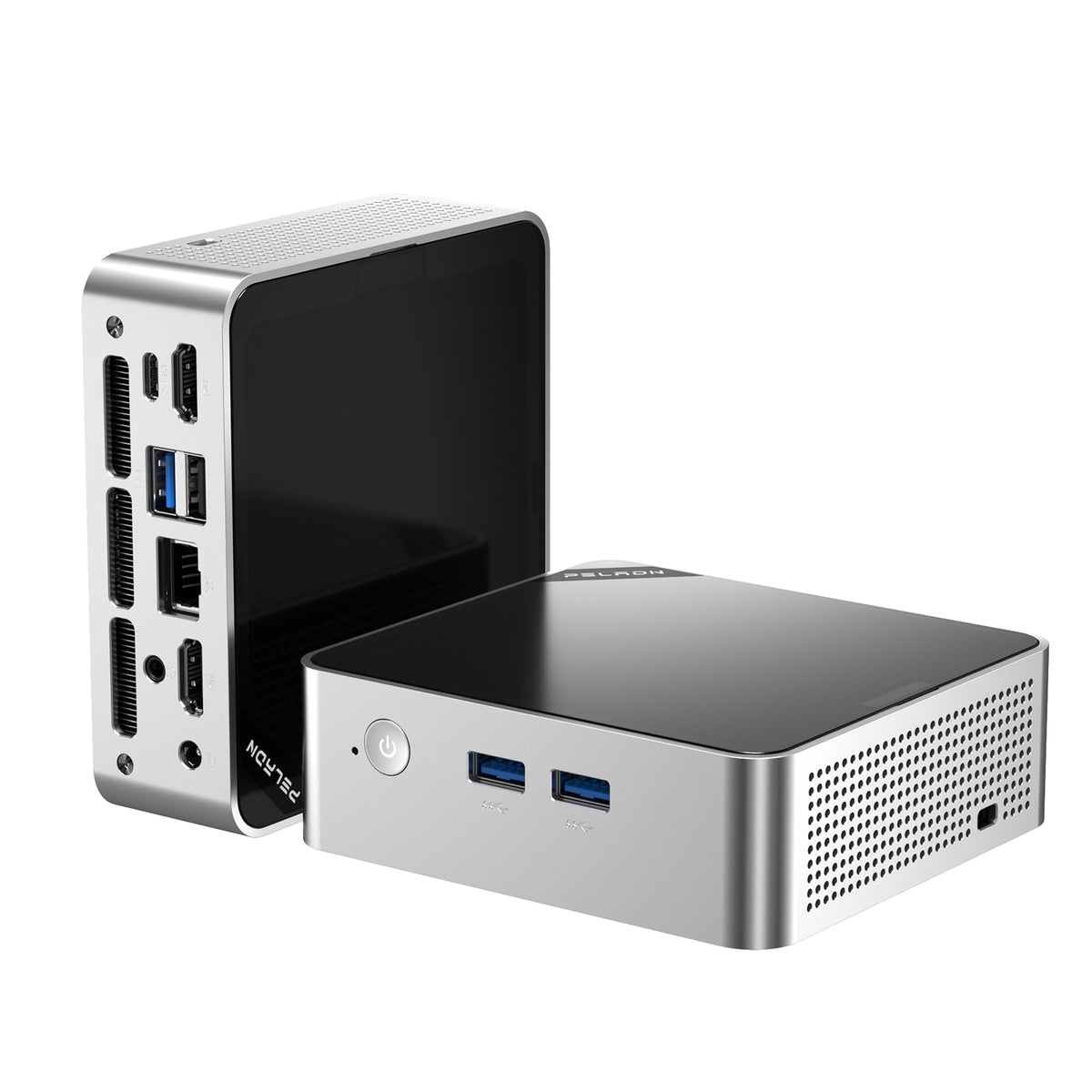
A mini PC is the perfect fit with efficient performance, a small size, and an affordable price, thus fitting within a constrained budget for schools and limited classroom space. With this series of mini PCs for education, flexible educational activities from classroom management to distance-learning sessions can take place. For IT administrators and educators, mini-PCs provide a functional, cost-effective approach for establishing tech-friendly classrooms, without overwhelming spatial and budgeting considerations.
The Role of Mini PCs in Modern Classrooms
As education increasingly embraces digital learning, the demand for accessible and flexible technology has grown substantially. Teachers are expected to use digital tools in support of traditional methods of teaching but also to engage learning in a vibrant and interactive space within their classrooms. In cases where space and technical funds are limited, mini-PCs provide a solution. The PCs for education combine the various computing tasks needed into small boxes, leaving more space in the narrow confines of the classroom.
Educational Mini PCs offer adequate processing capability to support educational software, digital resources management, and interaction with interactive learning devices. Their compact size allows them to blend into various classroom layouts from student individual desks, shared workstations, or mobile carts moved from room to room. This adaptability enables educators to create a tech-friendly environment that can support diverse teaching methods, from traditional lessons to hands-on digital learning activities.
Mini PCs are practical educational management computers used for student learning. With their high efficiency and easy maintenance, these work well in classroom resource management, planning, and running daily school operations. A balanced representation of flexibility and reliability thus makes mini PCs a strong choice for schools looking for affordable classroom technology advancements. Thus, we convert mini-PCs into modern classrooms from a fitting educational lens by enabling flexible, powerful, and budget-conducive establishments to cover the growing needs of modern classrooms.
Why You Should Use Mini PCs in Education
Mini PCs have quickly become a popular choice in educational settings, offering numerous advantages tailored to classroom needs. Their compact design, affordability, and ease of use make them a valuable asset for schools aiming to create effective learning environments with limited resources.
Space Efficiency and Flexibility
Perhaps one of the great advantages of a classroom mini PC is its small size; thus, an educator can utilize the classroom’s space better. One of the main drawbacks of traditional PCs might be that they occupy more space, whereas mini PCs having smaller dimensions can be easily adapted to fit many styles of classroom configurations without cluttering desks. The nifty devices can be mounted behind flat-screen monitors, wall-mounted, or placed on carts to allow flexible classroom designs required for different teaching activities; this enables educators to use the space-aided classroom approach to develop interactive learning spaces without worrying about the issue of cramped spaces.
Cost-Effectiveness
Although budget is always a primary consideration for educational places, mini PCs are generally cheaper alternatives to traditional desktop computers available for making an education PC viable in schools with limited or no funding. Mini PCs allow for savings on energy costs aside from the reduced purchase price. Schools will be able to afford to acquire several input/output units without stretching their budgets and yet furnish each classroom with the technology that allows for modern learning practices. Because mini PCs are affordable, they stand a good chance of being adopted as an economical option to develop technology infrastructure by many schools.
Remote Learning Support
Mini PCs are extraordinarily functional inside a physical classroom and even further along with remote learning. These devices allow video conferencing, digital resource accessing, and hybrid ways of learning with out-of-the-box connectivity. Whether supporting one-to-many teachers or providing remote access for students, mini PCs are versatile in supporting distance learning. Schools can use mini PCs to keep students engaged and connected regardless of where they learn, which is so critical for today’s flexible and adaptable education systems.
Easy Maintenance and Management
If you or tech personnel in your school are responsible for technology throughout the entire school network, IT maintenance can be time-consuming, to say the least. However, because a mini PC has fewer parts and a simple setup, it also greatly benefits IT administrators. A centralized web-based management console, secure web tools, and other features included in mini PCs make system updates, software upgrades, backup and recovery, security patches, application modifications, general maintenance, and system reboots simple across the network. This allows teachers and administrators to focus on student’s academic goals rather than tech issues that arise. The result is a more flexible learning environment that meets the needs of all types of learners in different settings.
In sum, mini PCs provide educational institutions with an efficient, budget-friendly, and easily manageable technology solution that enhances classroom flexibility and supports diverse learning setups.
Introduction
With the advent of technology, modern teaching is becoming increasingly effective. Technology facilitates pupils’ interaction with materials and peer collaboration through the use of digital resources and interactive lessons. However, the advent of high technology has led to an increased need for portable solutions that serve a dual purpose and that are reasonably priced and manageable on very little space. Traditional desktop personal computers are generally bulky and expensive unfit solutions for modern school systems seeking cost-effective methods for spaces that will optimize technology.
A mini PC is the perfect fit with efficient performance, a small size, and an affordable price, thus fitting within a constrained budget for schools and limited classroom space. With this series of mini PCs for education, flexible educational activities from classroom management to distance-learning sessions can take place. For IT administrators and educators, mini-PCs provide a functional, cost-effective approach for establishing tech-friendly classrooms, without overwhelming spatial and budgeting considerations.
The Role of Mini PCs in Modern Classrooms
As education increasingly embraces digital learning, the demand for accessible and flexible technology has grown substantially. Teachers are expected to use digital tools in support of traditional methods of teaching but also to engage learning in a vibrant and interactive space within their classrooms. In cases where space and technical funds are limited, mini-PCs provide a solution. The PCs for education combine the various computing tasks needed into small boxes, leaving more space in the narrow confines of the classroom.
Educational Mini PCs offer adequate processing capability to support educational software, digital resources management, and interaction with interactive learning devices. Their compact size allows them to blend into various classroom layouts from student individual desks, shared workstations, or mobile carts moved from room to room. This adaptability enables educators to create a tech-friendly environment that can support diverse teaching methods, from traditional lessons to hands-on digital learning activities.
Mini PCs are practical educational management computers used for student learning. With their high efficiency and easy maintenance, these work well in classroom resource management, planning, and running daily school operations. A balanced representation of flexibility and reliability thus makes mini PCs a strong choice for schools looking for affordable classroom technology advancements. Thus, we convert mini-PCs into modern classrooms from a fitting educational lens by enabling flexible, powerful, and budget-conducive establishments to cover the growing needs of modern classrooms.
Why You Should Use Mini PCs in Education
Mini PCs have quickly become a popular choice in educational settings, offering numerous advantages tailored to classroom needs. Their compact design, affordability, and ease of use make them a valuable asset for schools aiming to create effective learning environments with limited resources.
Space Efficiency and Flexibility
Perhaps one of the great advantages of a classroom mini PC is its small size; thus, an educator can utilize the classroom’s space better. One of the main drawbacks of traditional PCs might be that they occupy more space, whereas mini PCs having smaller dimensions can be easily adapted to fit many styles of classroom configurations without cluttering desks. The nifty devices can be mounted behind flat-screen monitors, wall-mounted, or placed on carts to allow flexible classroom designs required for different teaching activities; this enables educators to use the space-aided classroom approach to develop interactive learning spaces without worrying about the issue of cramped spaces.
Cost-Effectiveness
Although budget is always a primary consideration for educational places, mini PCs are generally cheaper alternatives to traditional desktop computers available for making an education PC viable in schools with limited or no funding. Mini PCs allow for savings on energy costs aside from the reduced purchase price. Schools will be able to afford to acquire several input/output units without stretching their budgets and yet furnish each classroom with the technology that allows for modern learning practices. Because mini PCs are affordable, they stand a good chance of being adopted as an economical option to develop technology infrastructure by many schools.
Remote Learning Support
Mini PCs are extraordinarily functional inside a physical classroom and even further along with remote learning. These devices allow video conferencing, digital resource accessing, and hybrid ways of learning with out-of-the-box connectivity. Whether supporting one-to-many teachers or providing remote access for students, mini PCs are versatile in supporting distance learning. Schools can use mini PCs to keep students engaged and connected regardless of where they learn, which is so critical for today’s flexible and adaptable education systems.
Easy Maintenance and Management
If you or tech personnel in your school are responsible for technology throughout the entire school network, IT maintenance can be time-consuming, to say the least. However, because a mini PC has fewer parts and a simple setup, it also greatly benefits IT administrators. A centralized web-based management console, secure web tools, and other features included in mini PCs make system updates, software upgrades, backup and recovery, security patches, application modifications, general maintenance, and system reboots simple across the network. This allows teachers and administrators to focus on student’s academic goals rather than tech issues that arise. The result is a more flexible learning environment that meets the needs of all types of learners in different settings.
In sum, mini PCs provide educational institutions with an efficient, budget-friendly, and easily manageable technology solution that enhances classroom flexibility and supports diverse learning setups.
Leave a comment
This site is protected by hCaptcha and the hCaptcha Privacy Policy and Terms of Service apply.